Product: Quark Docurated (QD)
This is of the most popular way to add more users to the QD portal and create groups for distribution of Documents.
How can I add user?
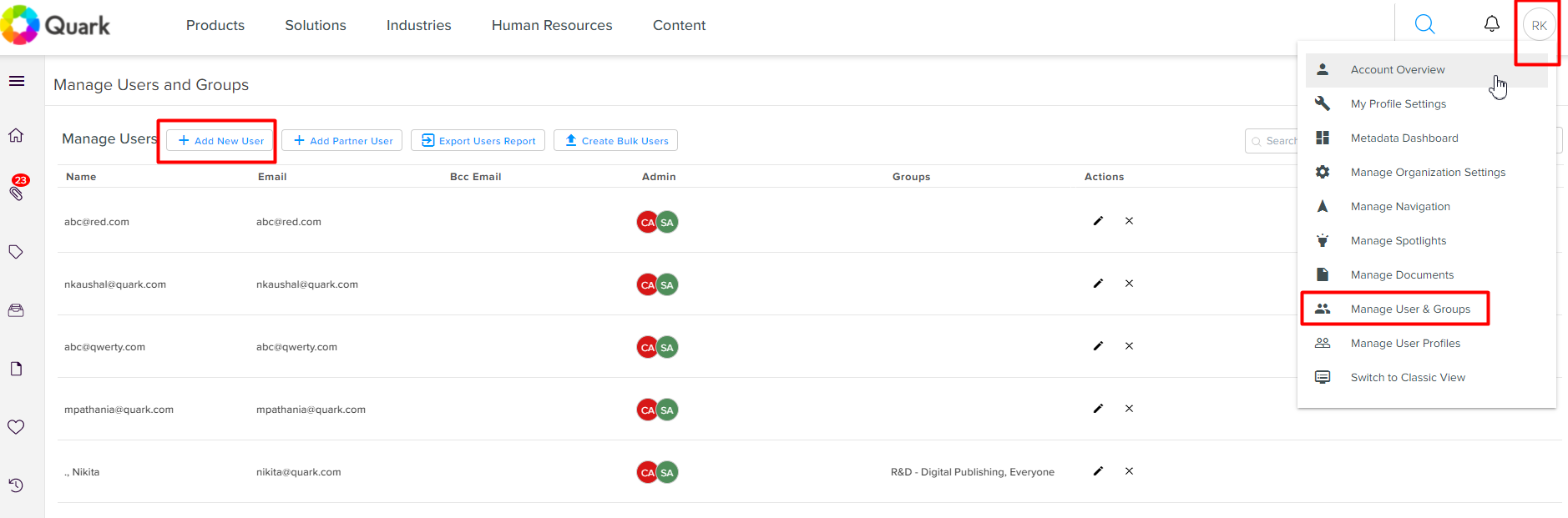
- Go to the User Profile >> Manage User & Groups >> click “Add New User” option
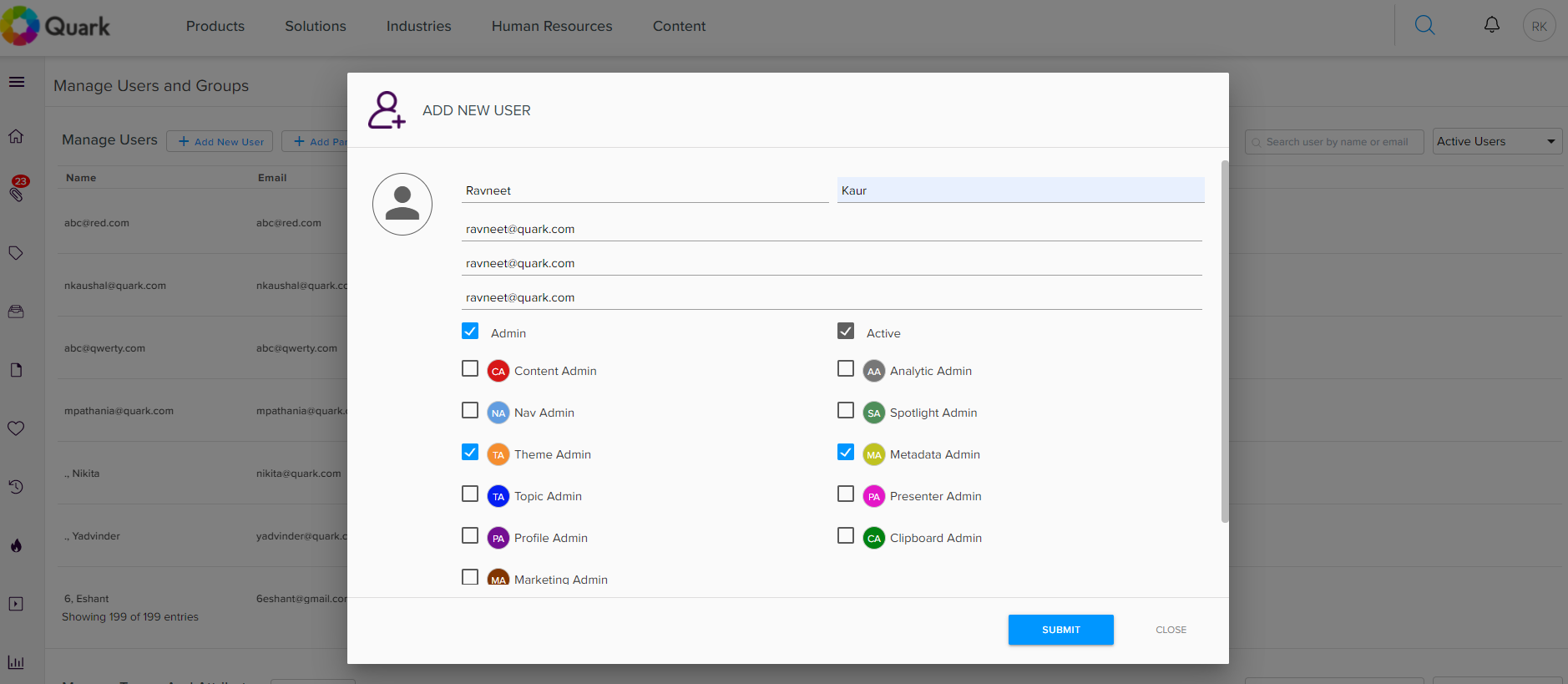
- There will be new pop-up screen to add the user details. Here you need to include First name, Last name, email address and provide the permissions by clicking on the respective check boxes. And hit on “Submit” button.
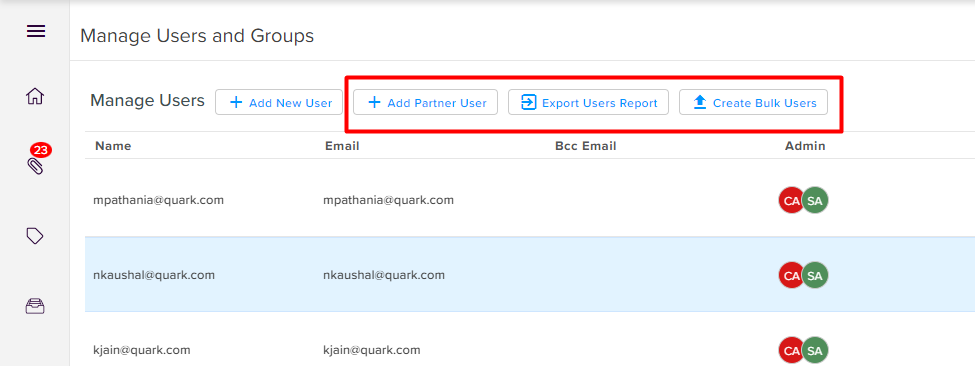
- We can also add “Partner Users” and “Bulk Upload” by using CSV file. Use “Export Users Report” for exporting the details of existing users in bulk.
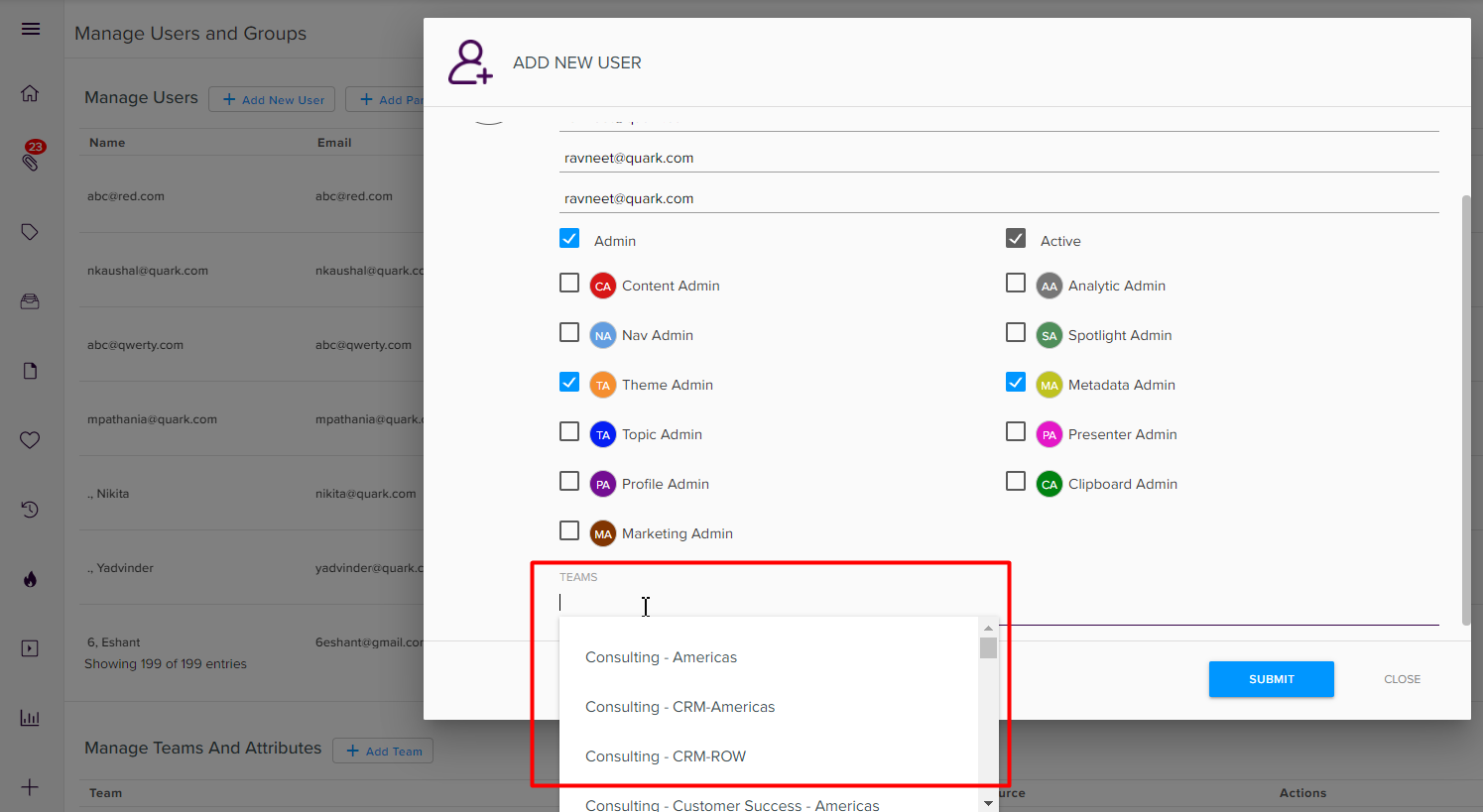
- User can be included to the existing teams if any by selecting from the “Teams” option.
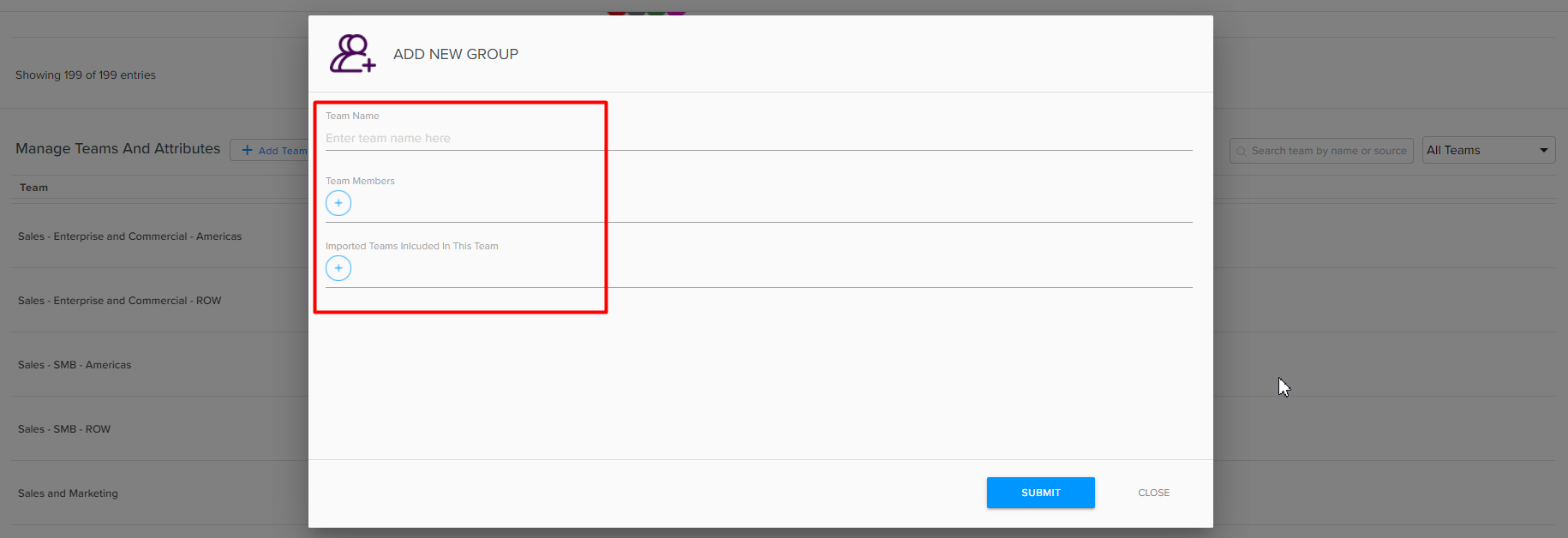
- For Adding new Groups/ Team, click on “Add Teams” and add the details.

Priyanka Bhotika
Comments