Product: Quark Docurated (QD)
This is one of the Content Hubs that allows users to view and share the documents internally.
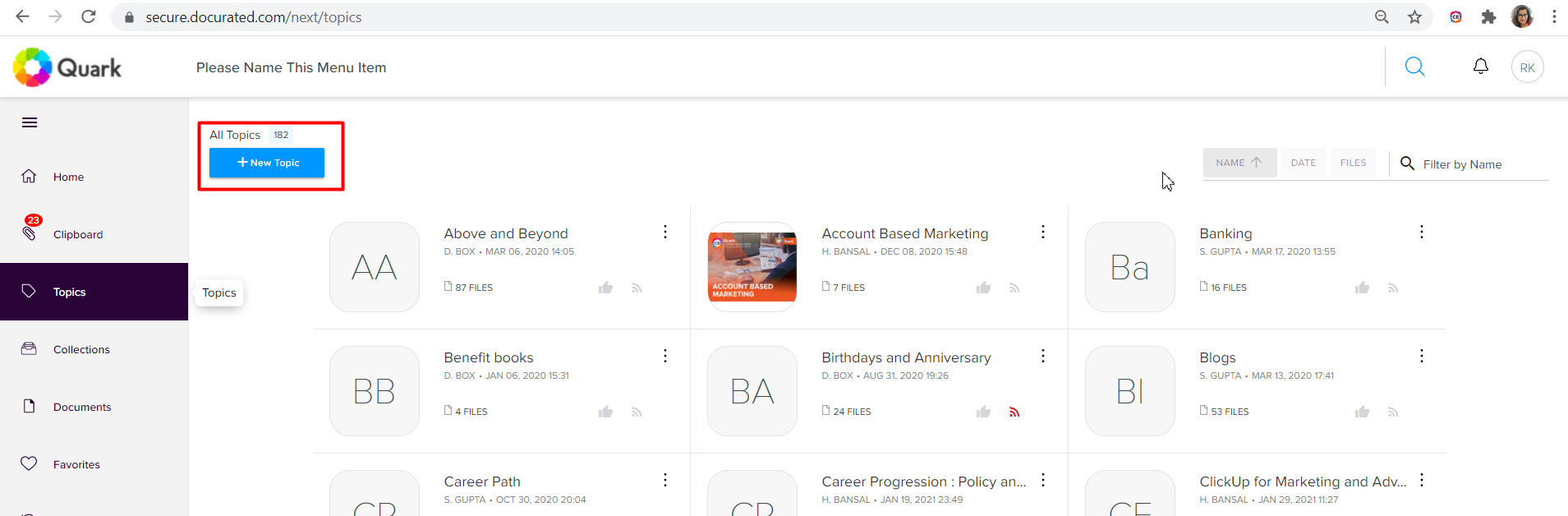
To create a Topic – Go to the Portal >> On the Left Navigation >> Click “Topics” >> Click “New Topic”
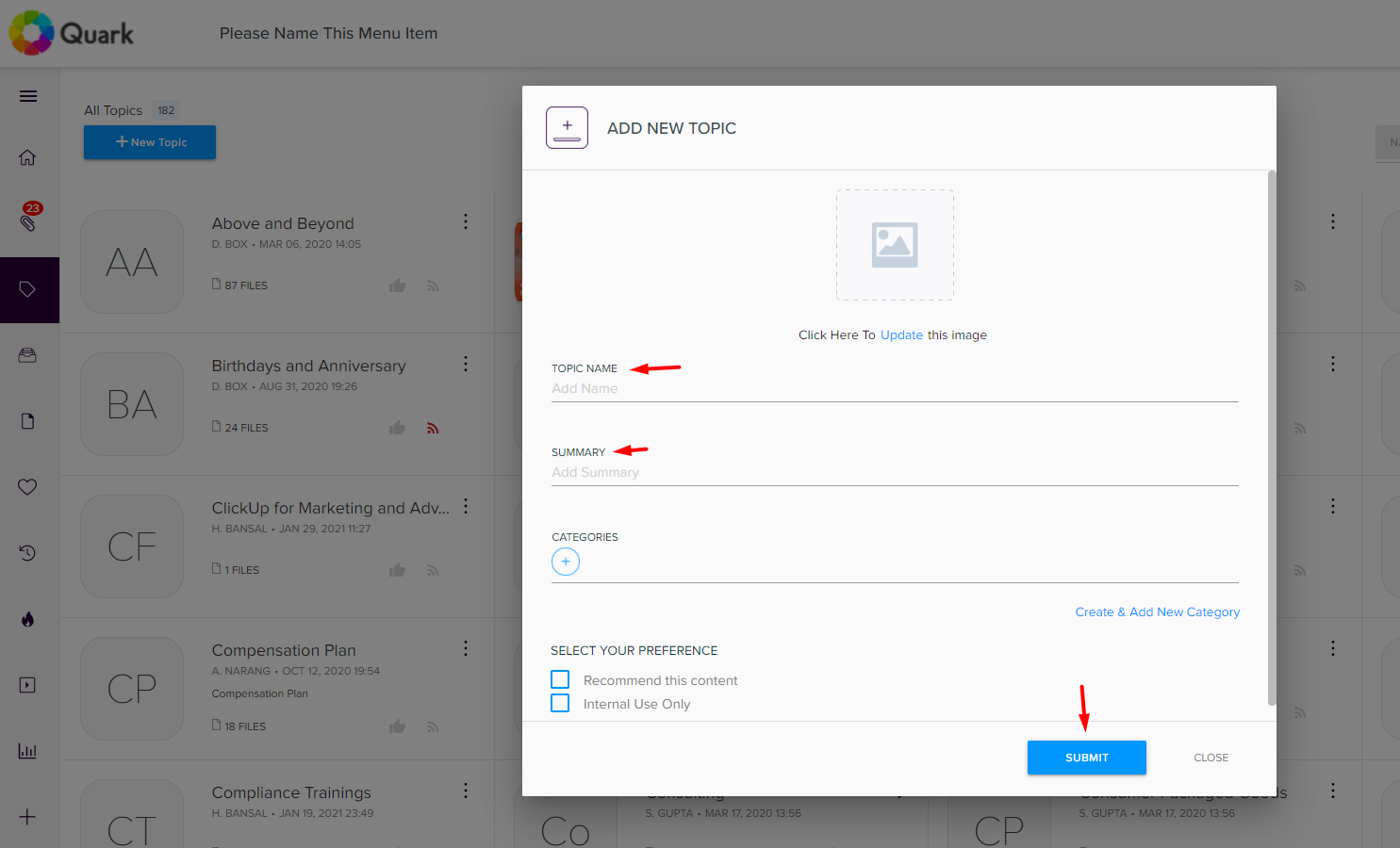
You can include “Topic Name” and Category to the Topics and to save the topic click on “Submit”.
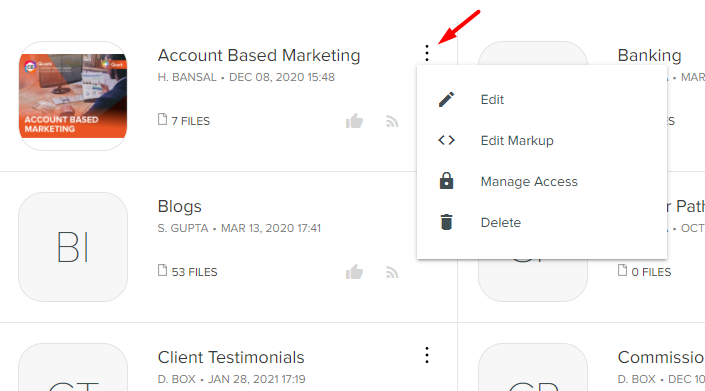
For Editing & Deleting the Topics >> click on three dots >> and hit “Edit” or “Delete” that specific topic.
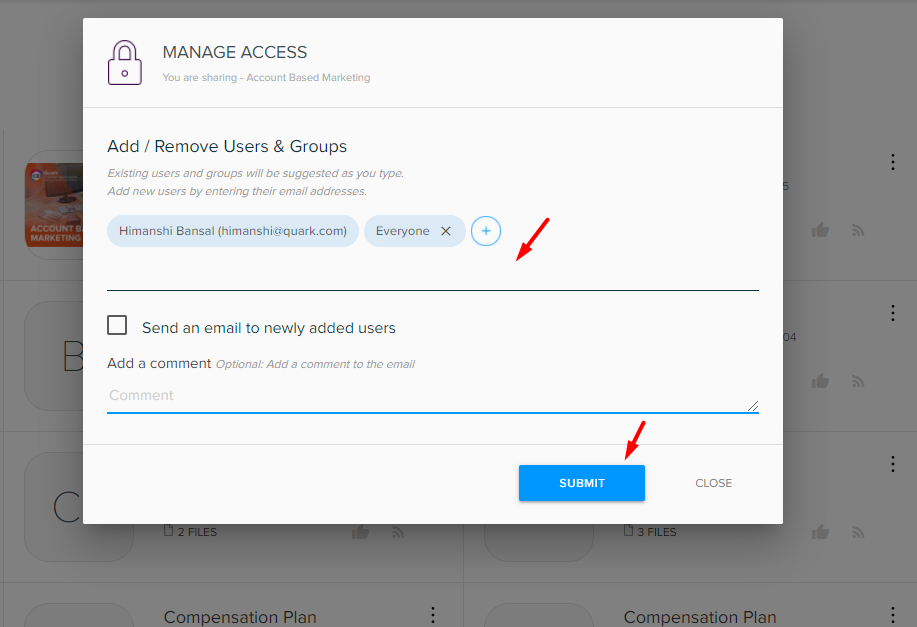
With “Manage Access” you can share that Document with Specific User & Groups.
Priyanka Bhotika
Comments