Product: Quark Docurated (QD)
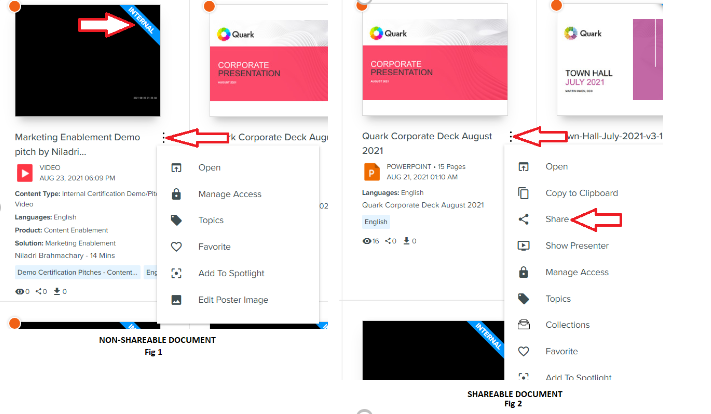
A non-shareable document holds the badge ‘INTERNAL’ and cannot be shared with any other user. To confirm this, click on Ellipsis and one can see that there is no option to share (as shown in Fig 1).
Whereas, in a shareable document, on clicking the ellipsis, a user can find the option to share the document with another user. Also, the shareable document doesn’t hold the badge. (as shown in Fig 2).
Priyanka Bhotika
Comments