Product: Quark Docurated (QD)
Applies To: QD Client App
Summary: It is required to restart the application if one of the following scenarios occurs:
- The application hang state is not working
- Documents are not syncing on Docurated
- On machine restart, the client application does not start successfully
Steps to Restart the Docurated client application:
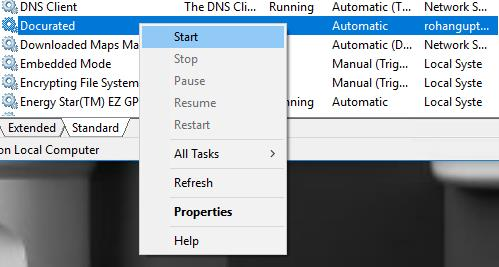
- Go to Windows Services.
- Give the administrator permissions to the Docurated service
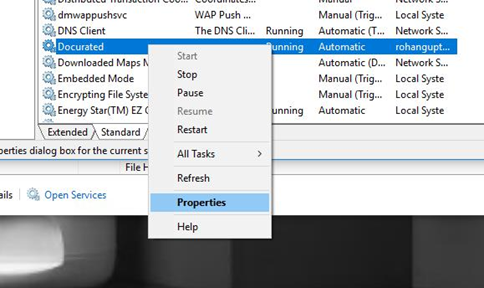
Open System Services->Docurated Client Service and click on "Properties”.
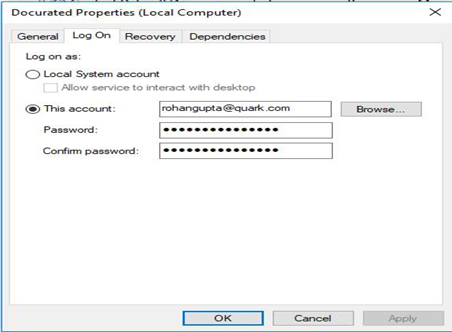
- Click on the "Log On" tab and change the logon user and set it to "This account" and enter your credentials (your admin account credentials) and click Apply.
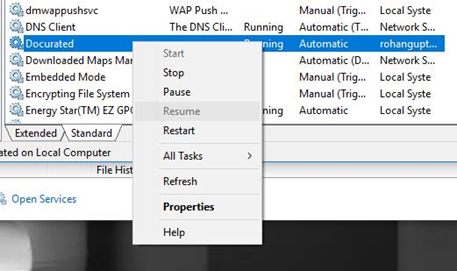
- Now, stop the Service.
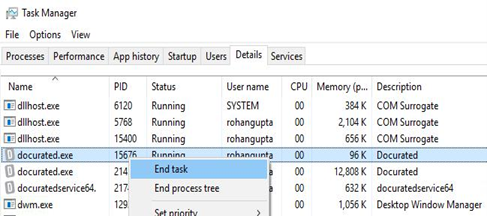
- Open Task Manager and kill all Docurated applications that are running
- And start the Service again
Priyanka Bhotika
Comments