Product: Quark Docurated (QD)
QD seamlessly integrates with your Salesforce content. It only takes a few simple steps to configure and begin exploring your Salesforce content inside of QD.
In order to enable Salesforce sync in QD, follow the steps below:
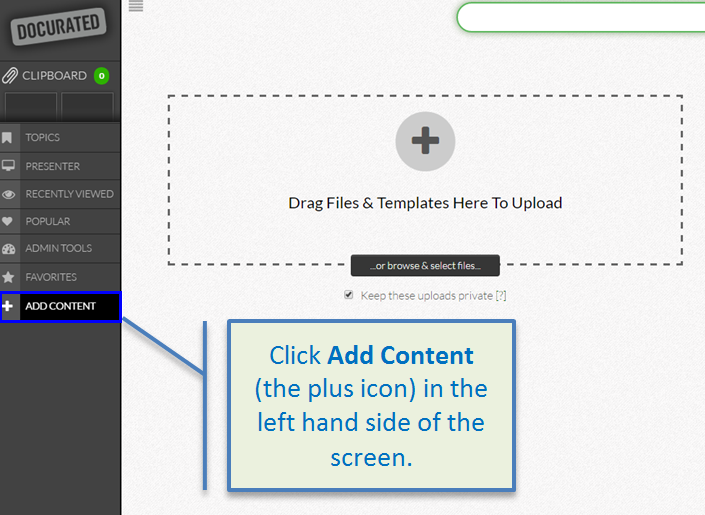
- Click Add Content on the left side of the screen.
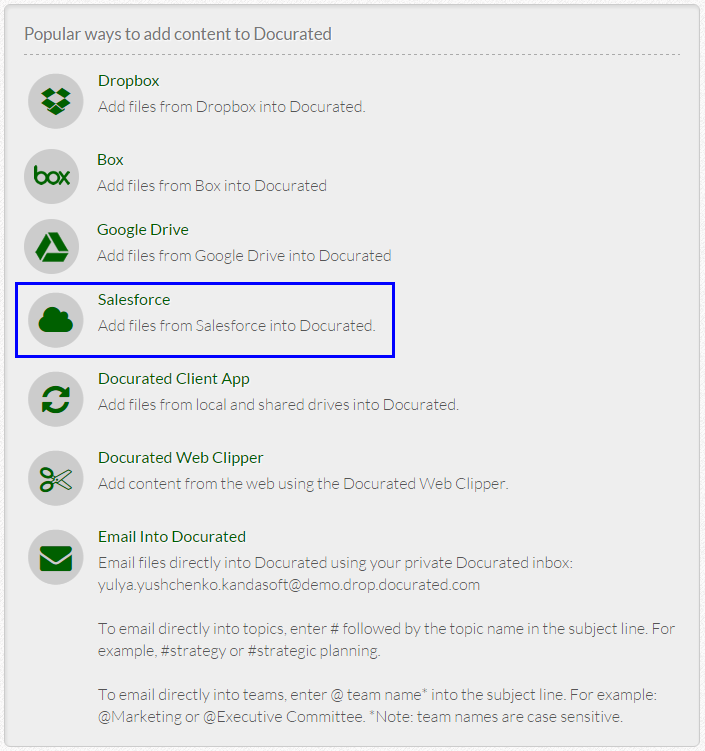
- Click on the Salesforce link to enable and configure Salesforce sync.
- Salesforce may ask for your Salesforce credentials in order to log in. Enter your Salesforce credentials to link your account to QD.
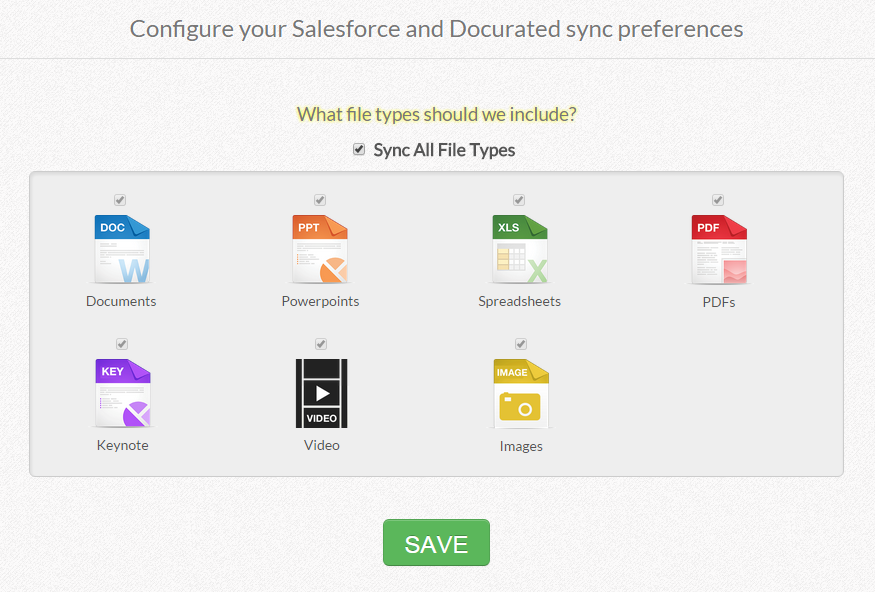
- Select file types to sync.
- Click the Save button to initiate the sync.
- It can take several minutes for initial scan to complete, after which you will start seeing your Salesforce files appear in QD.
Priyanka Bhotika
Comments