Product: Quark Docurated (QD)
-
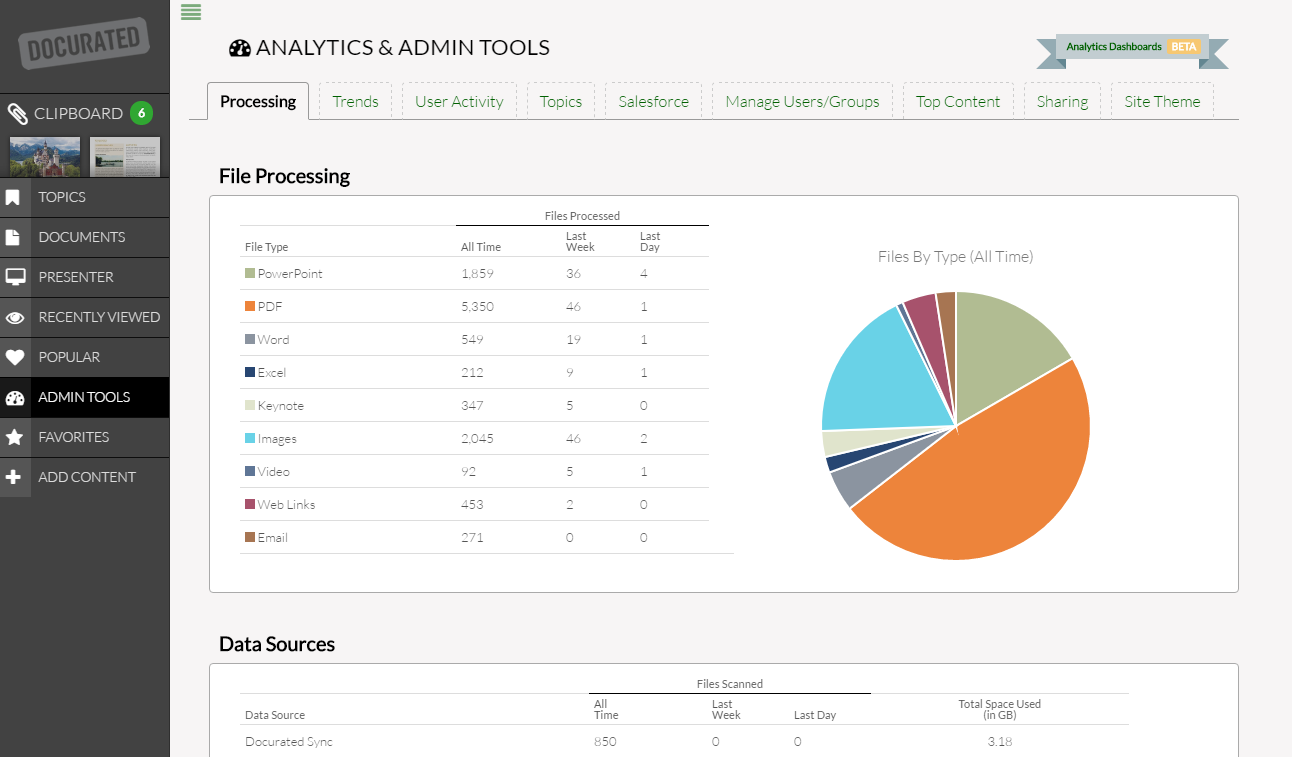
Click Admin Tools on the left side of the screen (the File Processing tab will be displayed).
-
File processing and data sources analytics will be shown in the grids:
- File Processing: Displays the number of files per file type (PowerPoint, PDF, Words, etc.) processed for all the time, last week, and last day (the analytics is also shown in a visual chart).
- Data Sources: Displays the number of files per data source (Email, Web Uploads, Google Drive, etc.) scanned for all the time, last week, and last day.
- Recently Inserted Files: Displays the list of files processed for the last 48 hours. To reinsert a file that was not successfully processed, click the Retry button next to the file.
Priyanka Bhotika
Comments