With the help of Advance Search functionality, you can find the exact document with a word or a phrase. This is a flag that needs to be enabled from the backend for an organization.
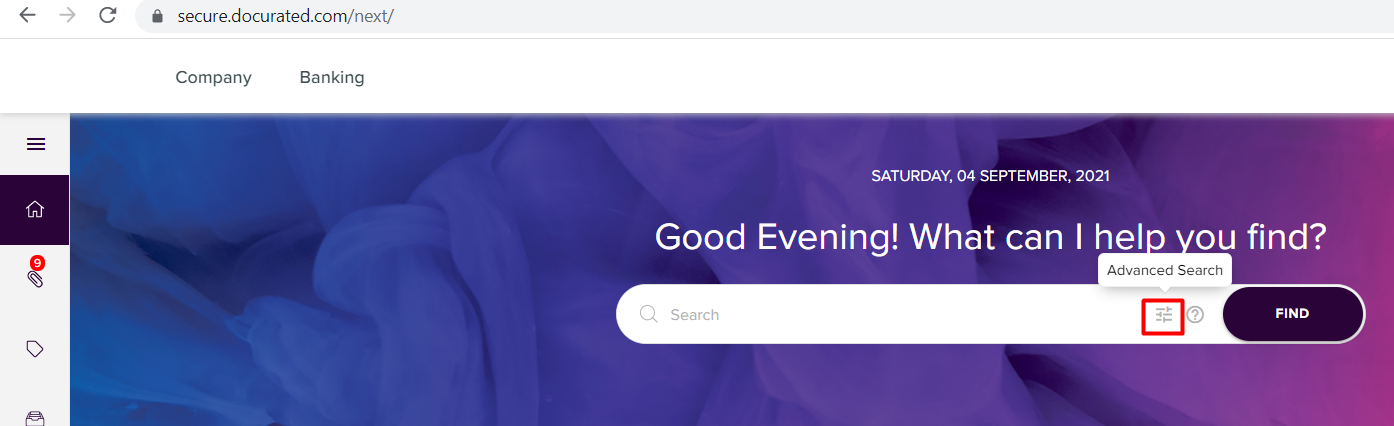
Go to the Home Page >> Click on the “Advance Search” icon on the top
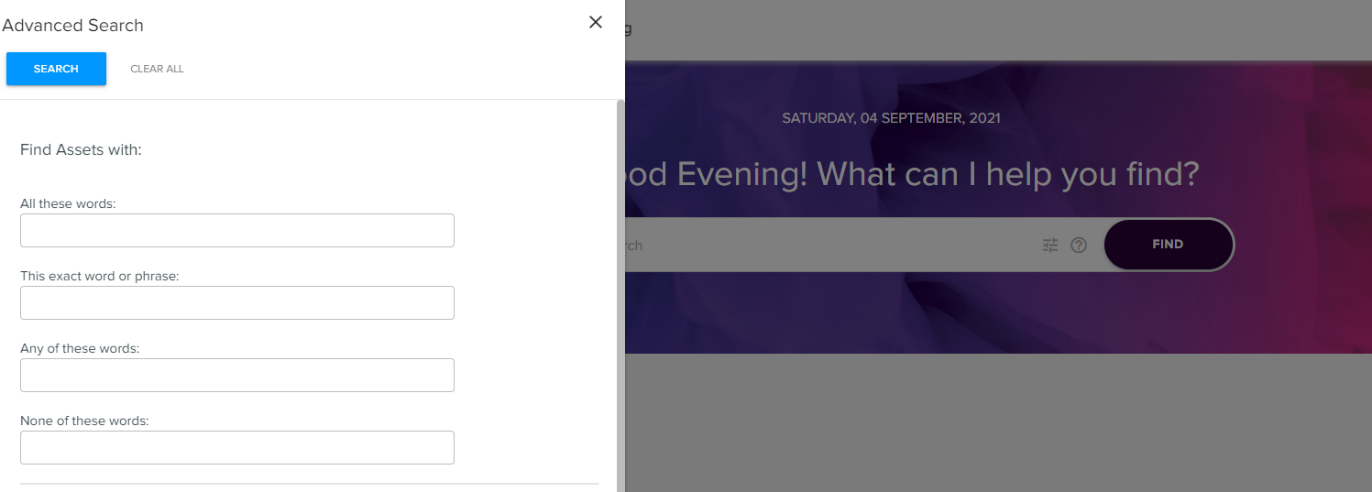
Once we click on that icon, we can “Find Assets” with following parameters –
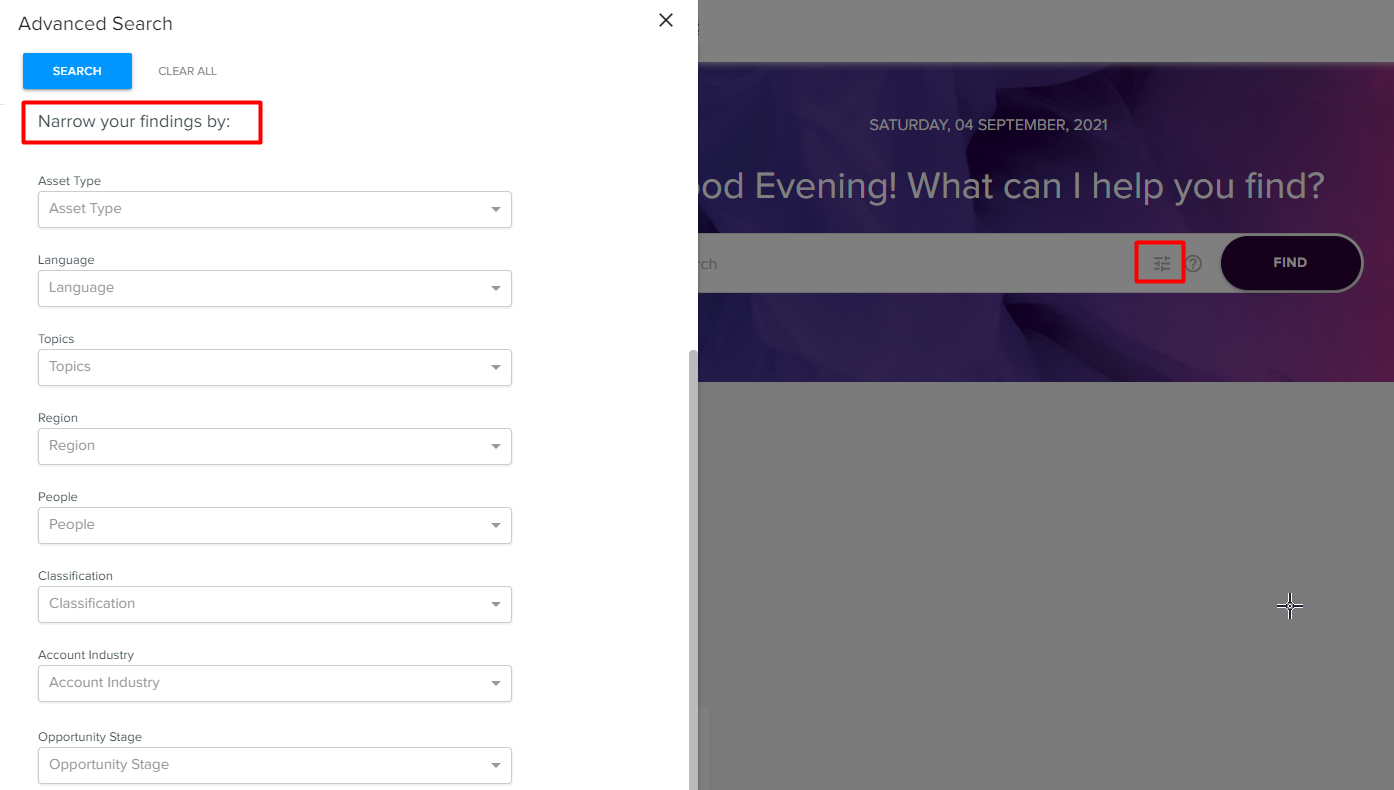
We can narrow down our searches with the help of other fields such as Topics, Classifications and Types of assets we have in our portal.
Priyanka Bhotika
Comments