Product: Quark Docurated (QD)
1. Navigate to QD portal >> Topics.
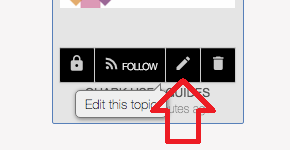
2. Select the topic that you want to add an icon for and click on the edit button.
3. Click under the topic thumbnail
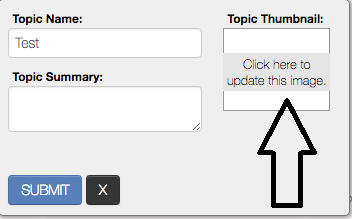
4. Browse for the image that you want to use as an icon and click the open button.
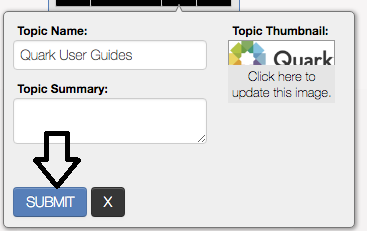
5. Now click on the submit button to save the changes.
Priyanka Bhotika
Comments