Product: Quark Docurated (QD)
Creating an editable template
In QD , any ppt file can be made a template that can be used to create PowerPoint documents.
To create a template:
- Find a PowerPoint file that you want to turn into a template.
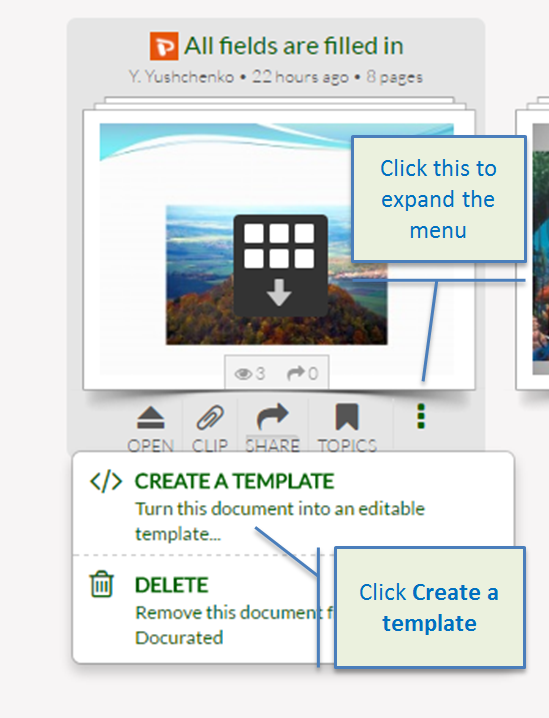
- Hover over a file, click the dots to expand the menu and select the Create a template option.
- Click Go to start creating the template (you will have to go through each page and simply select the text or images you want to make editable).
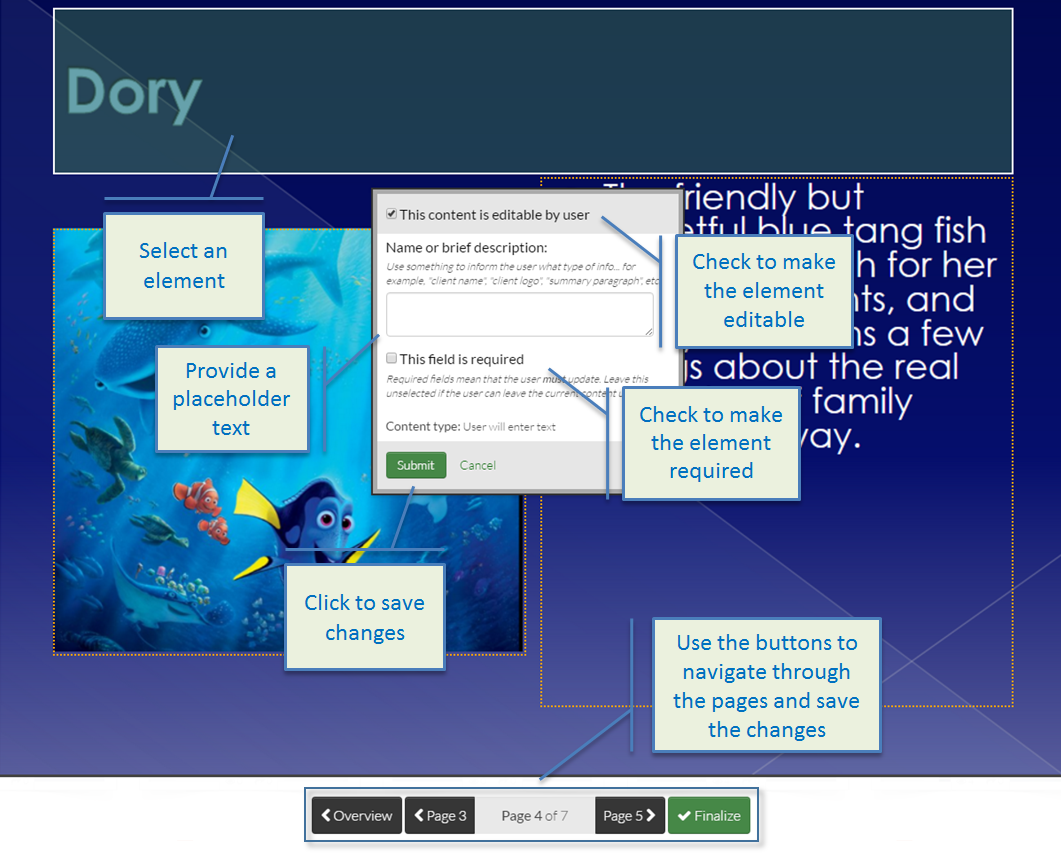
- Click on any element that you want to make editable or non-editable.
- In the displayed popover, select the This content is editable by user checkbox to make the element editable (if the element is not editable, the default text or image will be displayed and disabled).
- Select the This field is required checkbox to make it required.
- Optionally, add a description (placeholder) of what should be in the element and click Submit.
- Repeat the steps for all pages and click Finalize to save the template (the created template will be available in the search results for the PowerPoint file type and will display with the Template label).
Note: The created templates should not be confused with the .potx format files that are used to export content from QD.
Priyanka Bhotika
Comments