Product: Quark Docurated (QD)
For admin users: if enabled, it is possible to customize the header of a topic or category.
To customize a header:
- On a category or topic page, click the tag button to the right of the screen.
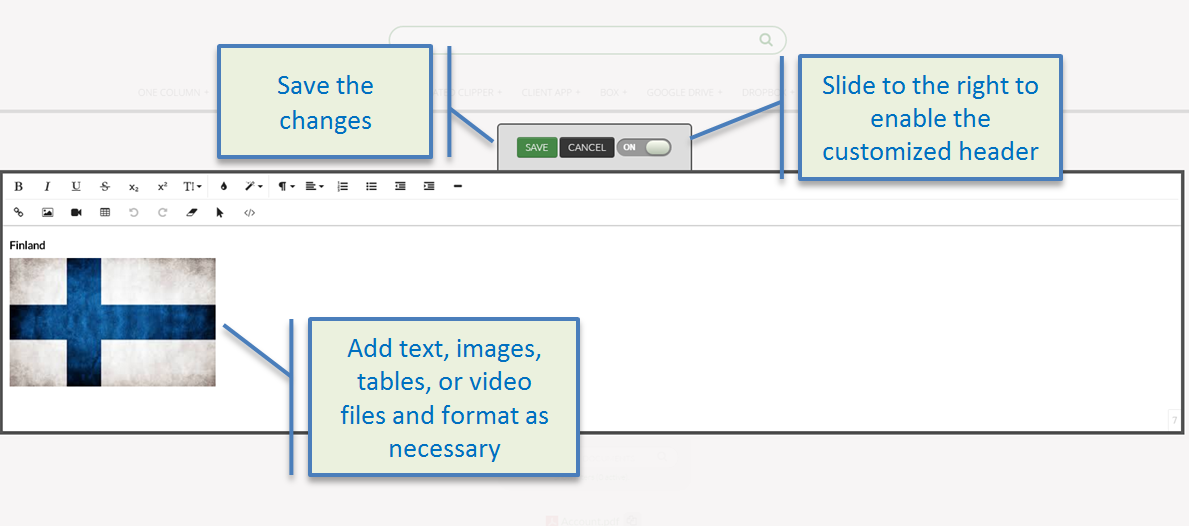
- Add text, images, tables, or video files and format as necessary.
- Turn on the changes by sliding the button Off to the right (when set to 'Off', the changes are in a draft mode).
- Click the Save button.
Priyanka Bhotika
Comments